
Data table composition
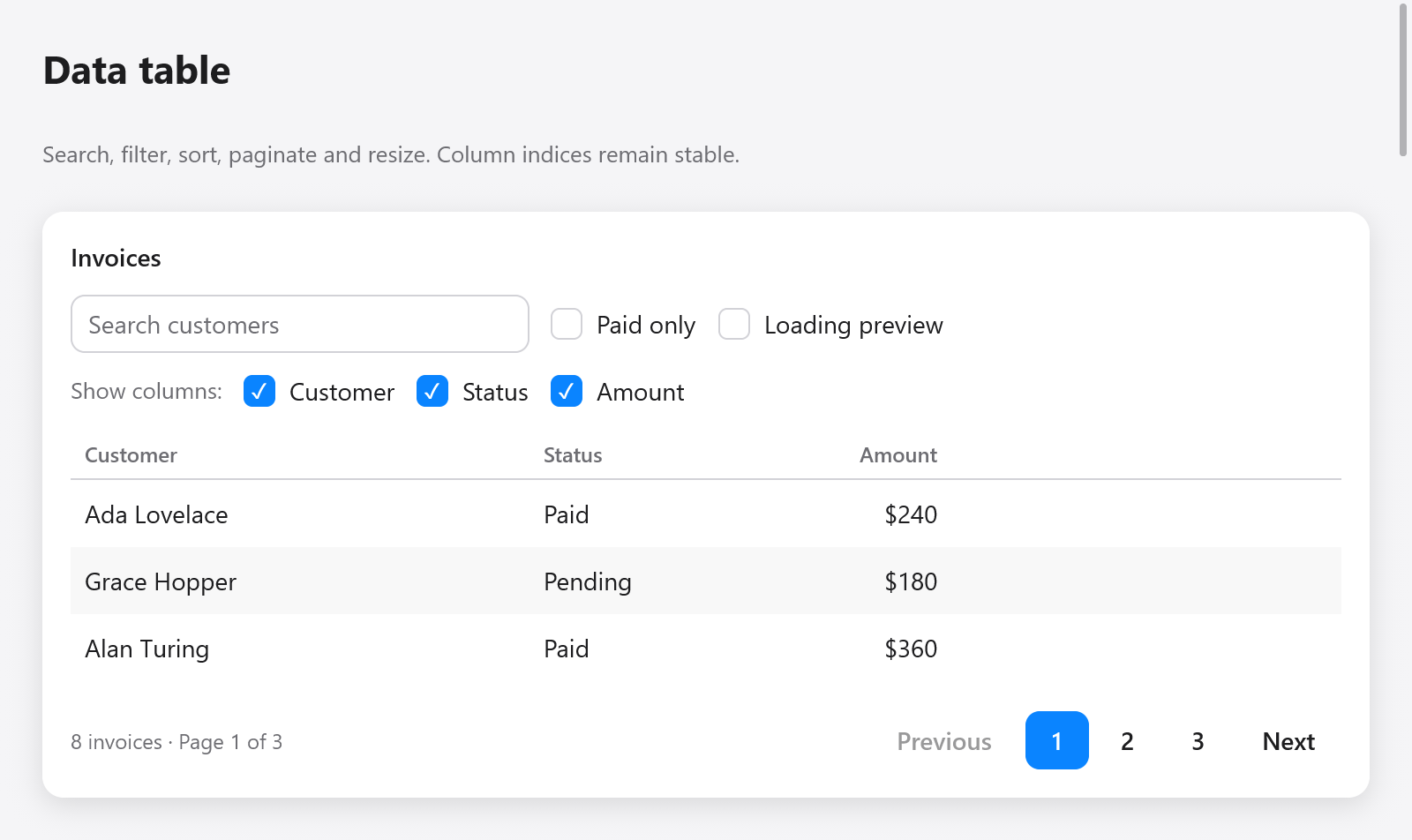
The Gallery's Data table page composes textField, checkboxes, table, pagination, skeleton and empty. Search and status filtering run before sorting, then pagination slices the matching rows. A filter or sort change clears the row cursor; filter changes also reset the page. Loading and no-results states are demonstrated separately.
Columns support hidden, min_width and max_width. Hidden headers and cells are omitted, but table.cell() and state.sort.column still return the original column indices. Cell arrows skip hidden columns.
// State:
widths: [3]f32 = .{ 260, 130, 110 },

// View:
const columns = [_]ui.TableColumn{
    .{ .title = "Customer", .sortable = true, .min_width = 120 },
    .{ .title = "Status", .hidden = !s.show_status },
    .{ .title = "Amount", .alignment = .end },
};
var table = ui.table(c, &s.table, &columns, rows.len, .{
    .column_widths = &s.widths,
    .height = .{ .px = 240 },
});
// Build rows with next()/cell(), then:
const result = table.end();
if (result.resized) saveColumnPreferences();
column_widths is an optional app-owned mutable slice parallel to all columns, including hidden columns. Providing it enables resize grips. Positive widths are clamped to each column's limits; zero shares remaining space until resized. Widths do not change just because the window shrinks. Drag a grip, or focus it and use Left/Right (ten points), Home (minimum) or End (maximum). Right-to-left layout reverses the arrow direction. Grips are accessible splitters and do not trigger sorting.
Sorting remains app-owned; result.sorted reports a change. If selection must survive reordering or filtering, supply stable row keys as described in lists, trees and tables. See the complete Gallery composition.