
Code editor and diff viewer
ui.codeEditor edits source code, after Zed's editor and mygo's ui/editor: a gutter of line numbers, syntax colors, the caret's line filled, indentation, brackets and quotes that close as they are typed, the bracket at the caret matched, a find bar that also replaces (by case, whole words, or regular expressions), going to a line, and soft wraps or long lines scrolled sideways. ui.diffView shows the changes between two texts, unified or side by side. Both build only the lines in view, so a file of 100 000 lines costs what a screenful does.
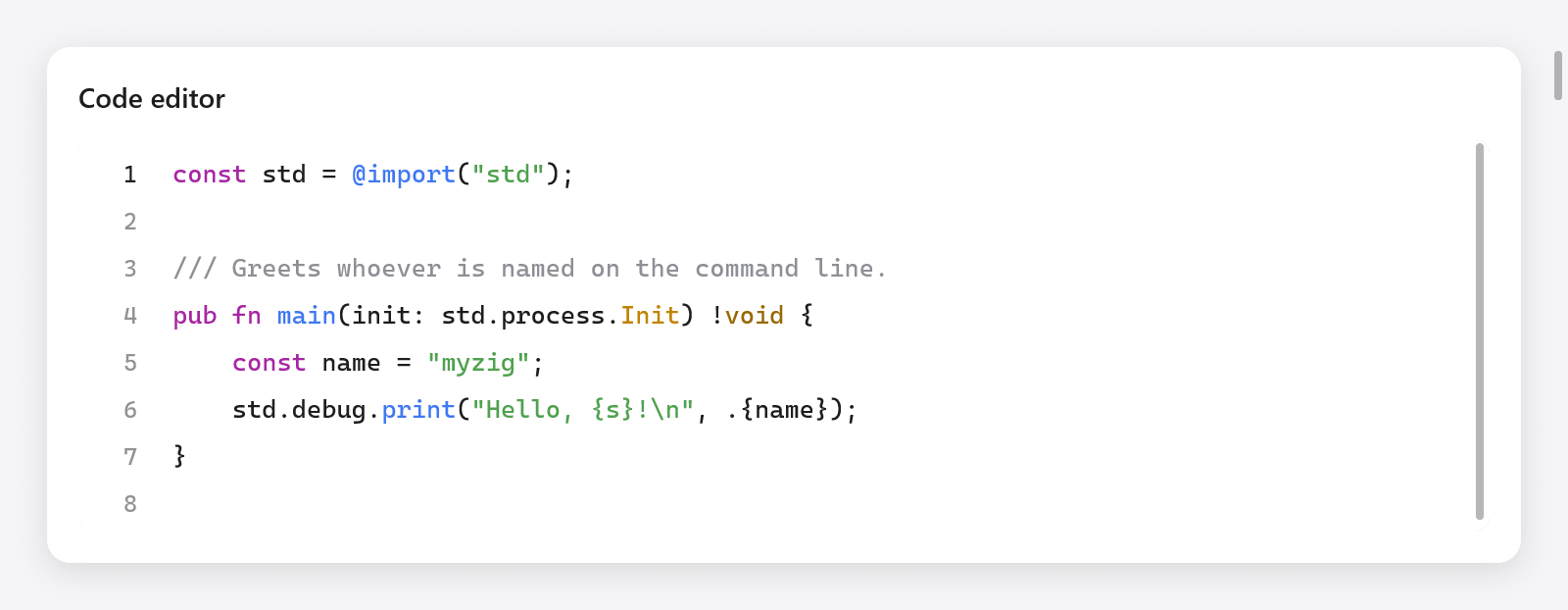
The Zig editor with syntax highlighting and a line-number gutter.
const Editor = struct {
    code: ui.CodeEditor,

    fn view(s: *Editor, c: *ui.Context) void {
        _ = ui.codeEditor(c, &s.code, .{});
    }
};

var s: Editor = .{ .code = .init(gpa, source, "main.zig") };
defer s.code.deinit();
zig build run-code-editor edits files of several languages, with their changes against the files as they were (examples/code-editor); headless: zig-out/bin/code-editor --myzig-snapshot=diff.png --myzig-script="click:Changes".
The editor
ui.CodeEditor.init(gpa, text, name) makes an editor of text, highlighted as the language of the file name (null: none). Free it with deinit(). Its fields and methods:
area | its ui.TextArea: the text, the selection, undo (Text area) |
wrap | lines wrap at the editor's width, rather than scrolling sideways |
wrap_column | with wrap, lines wrap at this column, or at the width where that is nearer (0, the default: the width) |
read_only | selectable, searchable and copyable, not editable |
indent | unit (one level: " " by default, or "\t") and tab_size (4) |
find | the find bar's state: open, replacing, query, replacement, flags (case, word, regex), matches |
setLanguage(name) | highlights as a file named name, or a language's name ("zig", "go"); null for none |
goToLine(line) | puts the caret at the start of a line (from 1) and shows it |
openFind(replacing) | opens the find bar, on the selection's text |
closeBars() | closes the find and go-to bars |
own_find_bar | the app draws the find bar itself from find, query_id, replacement_id and focus_next (the editor still finds, marks and takes the keys) |
extra | what the app adds to the lines (below) |
background | the text's background (null: the default light or dark one) |
guides | a color for lines at each level of indentation (null: none) |
syntax.colors | the tokens' colors, a ui.SyntaxColors (null: the defaults) |
The app reads and edits the text through area, as with a text area:
const ta = &s.code.area;
const line = ta.caretLine();
const col = ta.sel.caret - ta.doc.lineStart(line);
ui.text(c, c.print("Ln {d}, Col {d}", .{ line + 1, col + 1 }), .{ .size = 12 });
const modified = ta.doc.canUndo();ui.CodeEditorOptions: width and height (.fill), size (13), line_numbers (true), current_line (true: fill the caret's line), leading (1.45, the line height as a multiple of the font's), weight (or weight_value, 100 to 900), family (the theme's monospaced one when null), features (OpenType, as ui.TextStyle takes them) and placeholder. It returns what a text area does (changed, focused, first_line, last_line).
What the app adds to the lines
extra, a ui.CodeEditor.Extra, lets the app decorate the lines as they are built, for only the lines in view: marks(ctx, c, line, start, str) returns backgrounds of runs (ui.TextMarks: byte ranges of the line and a color: the other occurrences of a word; an end of ui.TextMark.whole fills the line across the view, under the selection: conflict blocks), gutter(ctx, c, line) a color for a bar along the gutter's left edge (the lines changed since a commit), and after(ctx, c, line) a ui.TextAfter, faint text after the line's end (the caret line's blame, a note). A press in the gutter sets area.gutter_press to its line, for the app to read and clear.
s.code.extra = .{ .ctx = s, .gutter = State.changed, .after = State.blame };
s.code.guides = c.theme.text.alpha(0.08);
Keys
Besides a text area's keys (Text area); "Mod" is Command on macOS and Control elsewhere:
| keys | does |
|---|---|
| Mod+F | find |
| Mod+Option+F (macOS), Ctrl+H | find and replace |
| Mod+G, Mod+Shift+G (macOS), F3, Shift+F3 | the next and previous match |
| Ctrl+G | go to a line |
| Escape | closes the bars, or collapses the selection |
| Tab, Shift+Tab | indent and outdent the selected lines (or type a level at the caret) |
| Mod+], Mod+[ | indent and outdent the lines |
| Mod+/ | comment the lines out, or back in, with the language's line comment (nothing in one without) |
| Alt+Z | wrap long lines, or not |
| Mod+C, Mod+X without a selection | copy or cut the caret's line |
As code is typed:
- Enter keeps the line's indentation, one level more after an opening bracket, and puts the closing bracket on a line of its own between a pair.
- Brackets and quotes close as they are typed, wrap the selection when there is one, and typing the closing one steps over it; Backspace takes an empty pair.
- The bracket at the caret and its partner are marked, its partner looked for within 2000 lines and 64 KB (a few long lines are a whole file).
Languages
The editor highlights what the Markdown view highlights (Zig, JavaScript and TypeScript, Go, Python, Rust, C and its family, markup, Markdown, diffs and some sixty others), by the file's extension or a language's name. ui.languageFor(name) finds the language of a file name (null when there is none). Lines are tokenized a line at a time from the state each starts in (inside a block comment, a multiline string), and the states are kept per line: after an edit, only the lines from it are tokenized again, until one starts in the state it started in before, and only as far as the lines shown. Of a line longer than 20 000 bytes the first 20 000 are colored and the rest is plain, as VS Code does, and a long line's colors are kept until the text changes: long lines are laid out a frame's budget at a time, as a text area's.
Find and replace
The find bar finds the query's matches a line at a time, as plain text (with or without case, whole words) or as a regular expression, found again only when the query, its options or the text change. Replace replaces the current match or all of them; with a regular expression, $1 to $9 put its groups in the replacement.
An app with a find bar of its own look sets own_find_bar: the editor draws none, and the app's bar edits find.query and find.replacement, calls find.step and find.replaceOne / replaceAll, gives its fields the keyboard when focus_next asks (.query, .replacement), keeps their ids in query_id and replacement_id, and closes with closeBars(); ui.findBarEscaped(c, id) says a field took Escape.
Regular expressions are matched by a small backtracking machine (src/ui/editor/regex.zig): literals and escapes (\d \w \s \b and their negations, \t \n), ., classes ([a-z], [^…]), anchors (^ $), groups (capturing and (?:…)), alternation, and the quantifiers * + ? {n} {n,} {n,m}, greedy or lazy. A budget of steps keeps a pathological pattern from hanging the editor: past it, a line doesn't match.
The diff viewer
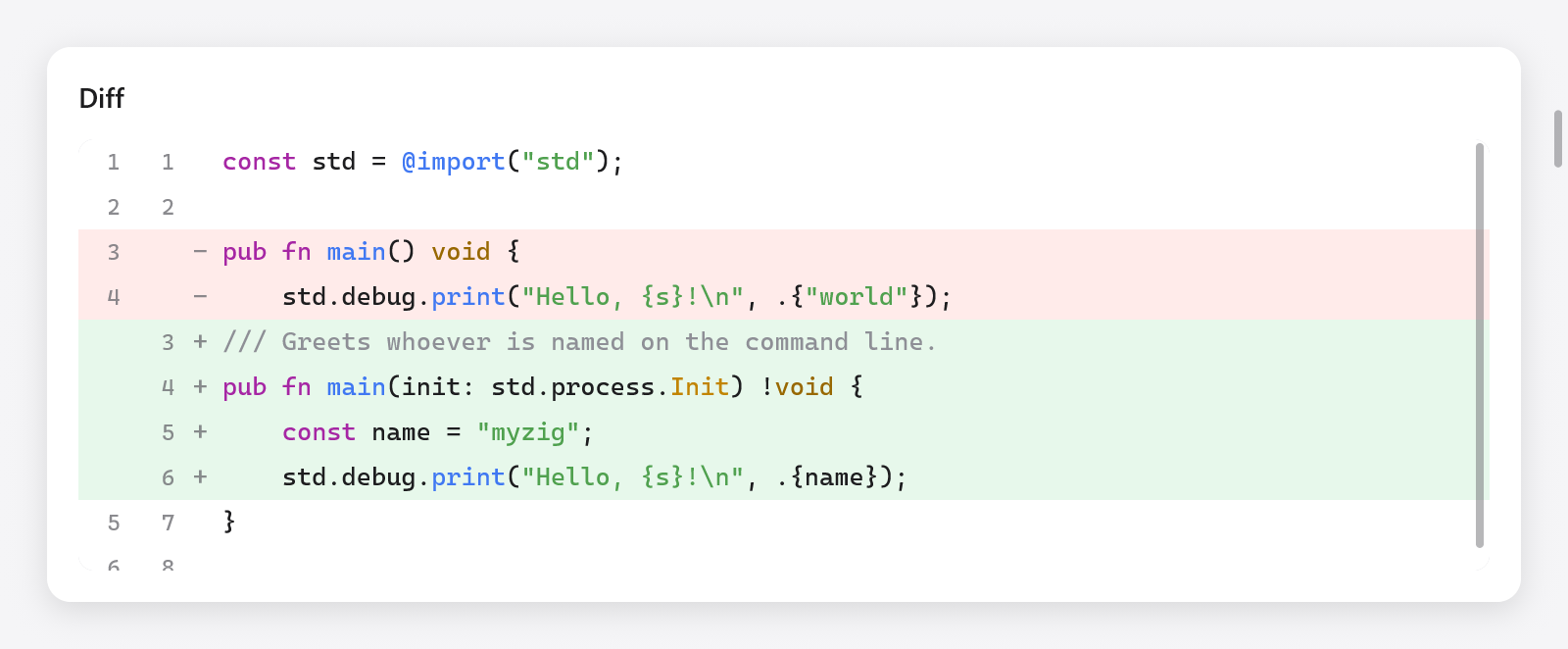
A diff with deleted lines in red and added lines in green.
var d = try ui.DiffView.init(gpa, before, after, "main.zig");
defer d.deinit();

// In the view:
const st = d.stats();
ui.text(c, c.print("+{d}  −{d}", .{ st.added, st.deleted }), .{ .size = 13 });
if (ui.segmented(c, &.{ "Unified", "Split" }, &s.split)) d.setMode(if (s.split == 1) .split else .unified);
ui.diffView(c, &d, .{});
A ui.DiffView compares two texts line by line and keeps the rows it shows. init(gpa, old, new, name) copies both texts and highlights them as the language of name; set(old, new) compares new texts (the editor example does so when the editor's area.doc.version changes).
setMode(mode):ui.DiffMode.unified(the deleted lines over the added ones) or.split(side by side, lines aligned).context: the unchanged lines shown around each change (3). Longer runs between changes collapse into a row that a click expands;expandAll()andcollapseAll()do it for every run.stats(): the linesaddedanddeleted.
Each side has its line numbers and syntax colors, and the words that changed within a changed line are marked, unless the two lines are less alike than ui.DiffViewOptions.min_same (0.3 of their bytes the same). The options also have width, height, size (13), colors (the tokens', a ui.SyntaxColors), digits (of the numbers' column), and family, features and weight_value as the editor has them. scroll_to, a row, shows that row at the top in the next frame.
Several diffs in one scroll (each file under a header, rows of the app's own between them) are built from rows: after dv.build(), ui.diffRow(c, &dv, i, opts) builds row i of dv.rows, ui.diffRowHeight(c, opts) tall, in a list of the app's. Long lines wrap there as pieces of rows: ui.diffWrapColumns(c, &dv, opts, width, split) is how many characters a side has room for, ui.diffRowParts(&dv, i, cols) how many pieces row i takes, and ui.diffRowPart(c, &dv, i, opts, part, cols) builds one (the line numbers and the sign on the first).
Comparing texts yourself
ui.diff is the comparison under the viewer, as mygo's internal/diff: Myers's O(ND) algorithm in linear space, with xdiff's cost limit, which bounds the time on large unrelated texts at the price of a diff that may not be minimal.
const old_lines = try ui.diff.splitLines(gpa, before);
defer gpa.free(old_lines);
const new_lines = try ui.diff.splitLines(gpa, after);
defer gpa.free(new_lines);
const hunks = try ui.diff.lines(gpa, old_lines, new_lines);
defer gpa.free(hunks);
for (hunks) |h| {
    // Old lines h.a0..h.a1 replaced by new lines h.b0..h.b1.
}
diff.lines(gpa, a, b)compares sequences of lines,diff.ints(gpa, a, b)of integers; both returndiff.Hunks (a0,a1,b0,b1;a0 == a1is an insertion,b0 == b1a deletion).diff.words(gpa, a, b)compares two lines word by word: the byte ranges of each that changed, joined across the spaces between them, andsame, how much of them stayed the same, from 0 to 1. Free it withdeinit(gpa).
Testing
The editor works in the Tester as in a window, with the Tester's own clipboard:
var s: Editor = .{ .code = .init(gpa, "fn main() {}\n", "main.zig") };
defer s.code.deinit();
var t: ui.Tester = undefined;
try t.init(gpa, .init(&s, Editor.view), .{});
defer t.deinit();
try t.clickText("main");
const mac = @import("builtin").os.tag == .macos;
_ = t.shortcut(if (mac) .{ .key = 'f', .cmd = true } else .{ .key = 'f', .ctrl = true });
try std.testing.expect(s.code.find.open);
See src/ui/tests_editor.zig, src/ui/tests_diff.zig and Testing.